
Discovering New Points of View with Drone Photography
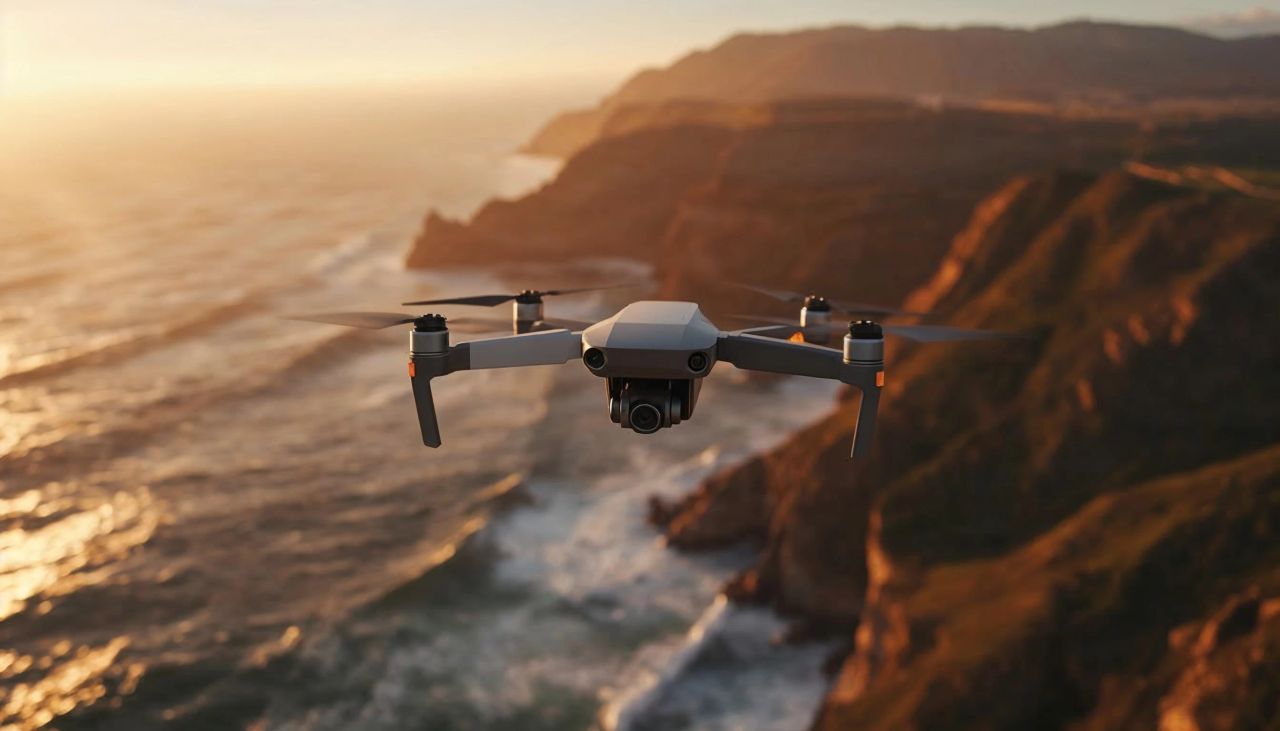
Introduction to Drone Photography
Advancing technology continues to make possible many things we once could only imagine. Today, as autonomous vehicles are being tested on real roads, discussions about whether robots will eventually replace humans continue, and applications rapidly evolve through machine learning and artificial intelligence. Among all these developments, drones stand out as one of the most fascinating innovations. While they provide tremendous value in commercial fields, they also capture the imagination of everyday consumers like us, especially if you are passionate about photography.
Drones open up an entirely new creative world. You can now take photos that once seemed impossible. They also require a shift in mindset, because you no longer need to be physically present to frame your shot. As long as your drone’s range and the law allow it, you can capture remote scenes from afar.
I decided to buy a drone myself, thinking that living in California would give me the opportunity to photograph and film the Pacific Ocean. Drones like the 3DR Solo once cost around one thousand dollars, but I was able to purchase mine for only two hundred ninety nine dollars, since the company is moving toward a business to business model and discontinuing its consumer line. Naturally, I was excited about the deal and became even more curious about the hobby.
As someone who loves technology, I always research any product I buy in detail. So I wanted to share what I have learned through my research and experience, in case it proves useful to you as well.
Understanding Drone Components
The system we call a drone is essentially composed of five main components:
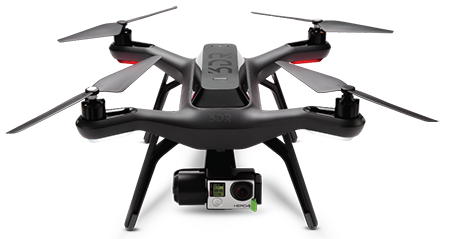
Frame
The main section where propellers and motors are located. While some more expensive models have six or more propellers, my drone and most affordable drones have four propellers. Having more propellers increases lifting power, allowing for the mounting of heavier cameras and ensuring that the drone can continue flying even if one propeller breaks. When a four-propeller drone loses one propeller during flight, it is very likely to crash, while six-propeller models handle this situation without a problem. Additionally, in some models, you need to attach and detach the propellers each time you use the drone, while newer practical models do not require you to remove the propellers, saving you time.
Remote Control
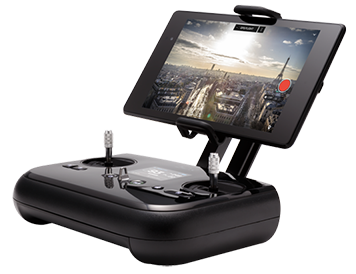
This unit contains the joysticks for controlling the drone. My drone has two joysticks for controlling altitude, left-right movement, and rotating around its own axis. There's also a joystick for adjusting the camera's angle up and down. To shift the camera's view from side to side, you need to rotate the drone itself. The remote control also features a small screen where you can see flight-related information such as altitude, speed, battery status, signal strength, and more. Finally, you can connect your iOS or Android device to the controller, and your device becomes the eyes of your drone. While you can use smartphones for this purpose, using an iPad or a tablet is much more enjoyable.
Gimbal
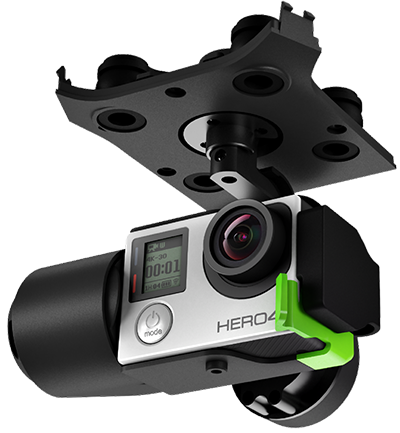
Drones are exposed to a lot of vibration while in motion or even when stationary due to wind. Capturing footage from such a vibrating device would be impossible. Gimbal plays a crucial role in reducing these micro-vibrations. Without a gimbal, especially for video shooting, would be nearly impossible with a drone. The gimbal counters movements from the drone or caused by the wind with the help of a function called Inertial Measurement Unit (IMU). It uses highly sensitive electronic circuits, sensors, and three-axis motors. Similar gimbal systems for smartphones or other camera setups have also become popular lately. One of the ones I really like is the DJI Osmo.
Camera
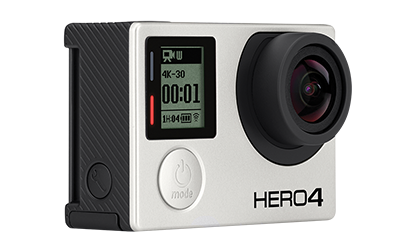
The optical unit for capturing images. Some drones come with their own brand cameras, while my drone accepts certain models of GoPro cameras in addition to its built-in camera. This allows me to use my GoPro camera separately from the drone, providing flexibility. I also believe that GoPro cameras offer the best quality for their size. Currently, I'm using the GoPro Hero 4 Black Edition, which shoots in 4K resolution. The disadvantage of this system is that the preparation for flight takes longer due to tasks like attaching and charging the camera.
Battery and Flight Time
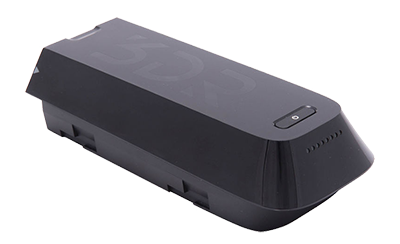
The source of energy for drones. Due to high energy consumption, the time drones can stay in the air is quite short. Making the most of this time is a skill that can be acquired over time.
How to Choose the Right Drone
After briefly introducing the main components of drones, let us take a look at which drone to buy and which features you should consider. First of all, I will not recommend a specific brand. Instead, I will focus on the key features that I think matter most. The final decision depends on your needs and your budget.
Weight and Size
As you would expect, this is the main factor that determines portability. If your drone is as large as mine, you will probably need to keep it in the trunk of your car, because it is not practical to carry on your back during a hike. On the other hand, a drone such as the DJI Mavic Pro, which has a foldable structure, can easily fit into a small backpack and becomes much easier to transport.
Camera
If you are a photography enthusiast, you will care about the quality of your drone camera just as much as your main camera and lenses. Many drones come with their own built in cameras. My drone, however, uses an external GoPro camera. This works well for me because I use the GoPro Hero Four Black Edition, which delivers excellent image quality. The cameras built into most drones are also quite good, but I personally trust GoPro’s expertise. It is also worth mentioning that almost all modern cameras can now record video in four K resolution.
Flight Time
Drones consume a large amount of energy while flying, so the time they can remain in the air is extremely important for your shooting experience. Most drones provide an effective flight time of around eight to twelve minutes. When the battery runs out, you land the drone, replace the empty battery with a fully charged one, and take off again. I strongly recommend carrying at least two fully charged spare batteries.
Communication Protocol
This topic can be confusing. Some drones communicate with the remote controller through Wi Fi, while others use radio signals. Wi Fi connections generally offer a shorter range, while systems using radio communication can function smoothly over several kilometers.
Obstacle Detection System
In more advanced models, the drone can detect objects in its flight path and automatically prevent collisions. My drone does not have this feature. However, as long as you fly with constant visual contact, the lack of obstacle detection is usually not a serious problem.
Automatic Pilot Features for Creative Shots
On the other hand, automatic pilot features allow you to create very creative types of shots. Each model comes with many different capabilities, but the ones I use most often are the orbit mode and the follow me mode.
Orbit Mode
In orbit mode, you choose a center point and the drone flies in a circle around that point while keeping the camera focused on it. Since the drone automatically follows this circular route, it is important to make sure in advance that there are no obstacles along the way. You can also adjust the size of the circle and the flight speed.
Follow Me Mode
In follow me mode, you simply put your phone in your pocket and start moving. The drone tracks your movement and follows you from behind. This is especially effective when you are traveling in a vehicle, and it allows you to record very impressive footage.
Drone Laws and Regulations
As I mentioned earlier, it is essential to comply with local laws when flying a drone. This is truly important. If you fly in restricted areas, the police may confiscate your drone, issue warnings, or even take legal action. In some countries, especially near national landmarks or high security locations, flying a drone in the wrong place may even lead to serious accusations. This is not a subject to take lightly. Always check whether drone flights are allowed in the area you plan to visit.
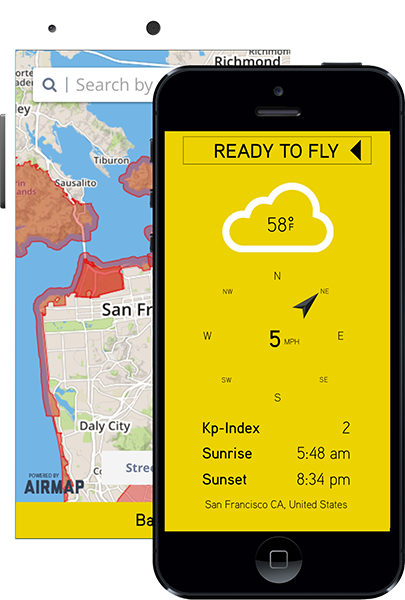
Some applications provide maps that clearly show permitted and restricted zones. For example, in the United States, where I currently live, I use an application called Hover, which clearly shows where drone flights are allowed. If there is a similar application in your country, I strongly recommend using it, as it will make things much easier and safer.
My Drone Footage: Pigeon Point Lighthouse
After sharing all this information, I did not want to end the article without including a sample video I recorded with my drone. Below, you can watch a video I captured in orbit mode at Pigeon Point Lighthouse near San Francisco.
If you enjoyed both the video and this article, please feel free to share it using the buttons below.
See you in my next post.
Keep exploring
Travel Guides
Day-by-day photographic guides with maps, gear notes, and the photos shot along the way.
Photo Galleries
1,300+ travel photos from 43 countries, organized by destination with EXIF and GPS.
About the Photographer
Years behind the lens, gear philosophy, and the story behind the portfolio.
Get in Touch
Questions about prints, licensing, or a shoot? Reach out and start a conversation.